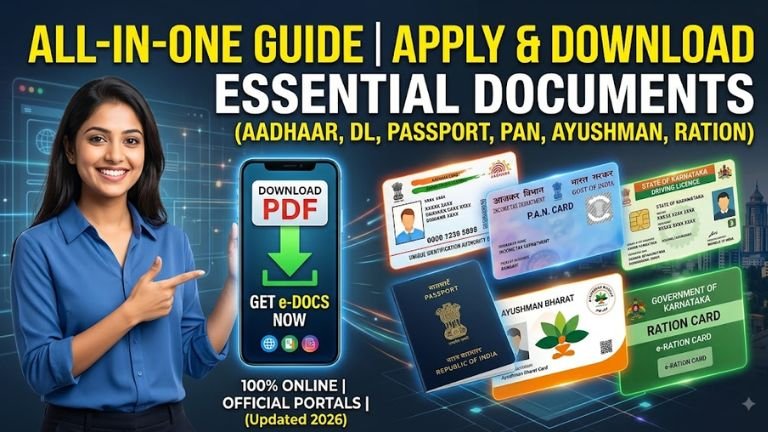
Comprehensive Guide: How to Apply for and Download Essential Indian Government Documents Online,
Navigating government services online in India has become streamlined through digital portals. Below is a step-by-step guide detailing the official application and download procedures for six core identification and welfare documents: Aadhaar Card, PAN Card, Driving Licence, Passport, Ayushman Bharat Card, and Ration Card.
1. Aadhaar Card (UIDAI)
The Aadhaar card is a 12-digit unique identification number issued by the Unique Identification Authority of India (UIDAI). It serves as primary proof of identity and residence across India.
Official Portal
- Website: uidai.gov.in / myaadhaar.uidai.gov.in
Step-by-Step Application Process (New Aadhaar)
- Book an Appointment: Visit
myaadhaar.uidai.gov.inand select Book an Appointment at a nearby Aadhaar Seva Kendra (ASK) or Registrar Center. - Fill Details: Enter your basic details (Name, Date of Birth, Gender, Address, Mobile Number, and Email).
- Visit the Center: Attend the appointment with original proof of identity (POI) and proof of address (POA) documents (e.g., Passport, Voter ID, Ration Card).
- Biometric Data Capture: Complete the biometric registration (fingerprints, iris scan, and photograph) at the center.
- Collect Acknowledgement: Receive an Enrollment Slip containing a 14-digit Enrollment ID (EID) and timestamp. Physical card delivery takes approximately 15–90 days.
How to Download e-Aadhaar Online
- Go to
myaadhaar.uidai.gov.inand click on Download Aadhaar. - Select your search mode: Aadhaar Number (12 digits), Enrollment ID (28 digits including timestamp), or Virtual ID (16 digits).
- Enter the required number, enter the Captcha, and click Send OTP.
- Enter the OTP sent to your Aadhaar-linked mobile number.
- Check the option “Do you want a masked Aadhaar?” if you prefer hiding the first 8 digits.
- Click Verify & Download to save the e-Aadhaar PDF.
- PDF Password: Combination of the first 4 letters of your name in CAPITAL letters and your birth year in YYYY format (e.g.,
SURA1995).
- PDF Password: Combination of the first 4 letters of your name in CAPITAL letters and your birth year in YYYY format (e.g.,
2. Permanent Account Number (PAN Card)
Issued by the Income Tax Department, the 10-character alphanumeric PAN is mandatory for financial transactions, tax filing, and opening bank accounts.
Official Portals
- Instant e-PAN (Free): Income Tax e-Filing Portal (
incometax.gov.in) - Standard PAN (Physical + e-PAN): Protean (formerly NSDL eGov) or UTIITSL portal DBS Bank
Step-by-Step Application Process
Option A: Instant e-PAN via Aadhaar (10-Minute Process)
- Visit
incometax.gov.inand under Quick Links, select Instant e-PAN. Sahi - Click Get New e-PAN. Sahi
- Enter your 12-digit Aadhaar number and check the consent box. Sahi
- Enter the OTP received on your Aadhaar-linked mobile number. Sahi
- Validate Aadhaar details, confirm the agreement, and submit. An acknowledgement number will be generated. Sahi
Option B: Standard Application (Form 49A via Protean/UTIITSL)
- Visit the Protean/UTIITSL PAN portal and select Apply Online > Form 49A (Indian Citizens).
- Select Category (Individual) and fill in title, full name, date of birth, email, and mobile number.
- Submit to generate a Temporary Token Number.
- Complete e-KYC via Aadhaar OTP (Paperless e-KYC), e-Sign, or physical submission.
- Pay the processing fee (~₹101 to ₹107 for physical card dispatch within India).
- Save the 15-digit Acknowledgement Number for tracking.
How to Download e-PAN Online
- From Income Tax Portal: Go to Instant e-PAN > Check Status/Download PAN, enter Aadhaar number, verify OTP, and click Download e-PAN. Sahi
- From Protean / UTIITSL: Visit the respective agency’s “Download e-PAN” page, input your PAN, Aadhaar number, and Date of Birth, verify via mobile OTP, and download the PDF. DBS Bank
- PDF Password: Date of Birth in
DDMMYYYYformat. Sahi
- PDF Password: Date of Birth in
3. Driving Licence (RTO DL)
Driving licences in India are issued by state Road Transport Offices (RTOs) via the central Ministry of Road Transport and Highways portal.
Official Portal
- Website: sarathi.parivahan.gov.in Parivahan
Step-by-Step Application Process
Step 1: Apply for Learner’s Licence (LL)
- Visit
sarathi.parivahan.gov.inand select your State. Parivahan - Click on Apply for Learner Licence.
- Authenticate using Aadhaar Authentication (no RTO visit needed in many states for online test) or Non-Aadhaar mode.
- Fill applicant details, upload address/identity proof and photo/signature if required.
- Pay the LL fee (~₹150 to ₹500 depending on state and vehicle class).
- Complete the online Stall Test / LL Test. Upon passing, download the Learner’s Licence PDF immediately.
Step 2: Apply for Permanent Driving Licence (DL)
- After 30 days (and within 180 days) of LL issuance, select Apply for Driving Licence on the Parivahan portal.
- Input your Learner’s Licence number and Date of Birth. Parivahan
- Fill application details, select vehicle categories, and upload required documents.
- Book an RTO Slot for the driving skill test.
- Pay the DL application fee (~₹200 to ₹1,000 depending on classes and smart card fees).
- Visit the designated RTO on your appointment date with original documents and complete the practical driving test.
How to Download Digital DL Online
- Via Parivahan Portal: Go to Driving Licence > Print Driving Licence, enter Application Number and Date of Birth, and download.
- Via DigiLocker (Legally Valid Virtual Copy):
- Log into DigiLocker app/website (
digilocker.gov.in). - Navigate to Search Documents > Ministry of Road Transport and Highways.
- Select Driving License, enter your DL Number and Date of Birth, and click Get Document.
- Log into DigiLocker app/website (
4. Indian Passport
Passports are issued by the Consular, Passport & Visa (CPV) Division of the Ministry of External Affairs through Passport Seva Kendras (PSK) and Post Office Passport Seva Kendras (POPSK).
Official Portal
- Website: passportindia.gov.in
Step-by-Step Application Process (Fresh / Re-issue)
- Register User Account: Visit
passportindia.gov.in, click Register Now, select your Regional Passport Office (RPO), and create account credentials. - Fill Application Form:
- Log in and click Apply for Fresh Passport/Re-issue of Passport. Passport Seva
- Fill out Form online (Type: Normal or Tatkaal; Booklet: 36 or 60 pages). Enter personal details, family details, present address, emergency contact, and non-criminal declaration.
- Pay and Schedule Appointment:
- Go to View Saved/Submitted Applications and click Pay and Schedule Appointment.
- Pay the fee online (₹1,500 for Normal 36-page adult passport; ₹3,500 for Tatkaal).
- Select available appointment slot at your nearest PSK/POPSK.
- Attend PSK Appointment:
- Arrive 15 minutes prior to appointment with original documents (Aadhaar, PAN, birth proof, bank passbook/electricity bill for address proof).
- Complete biometric capture (photograph and fingerprints) and document verification at Counters A, B, and C.
- Police Verification & Delivery: Local police station conducts address and background verification. Once cleared, the passport is printed and dispatched via Speed Post.
How to Download / Access Passport Details
- Note: Physical passport booklets are dispatched via post; soft-copy PDFs are not issued for direct download due to international security standards.
- DigiLocker Integration: You can link your Passport record to DigiLocker by searching for Ministry of External Affairs > Passport, entering your File Number, Passport Number, and Name.
5. Ayushman Bharat Card (PM-JAY)
The Pradhan Mantri Jan Arogya Yojana (PM-JAY) provides health coverage up to ₹5 Lakh per family per year for secondary and tertiary care hospitalization.
Official Portal
- Website: beneficiary.nha.gov.in Bajaj Finserv
- Mobile App: Ayushman App (Google Play Store) NHA
Step-by-Step Application & e-KYC Process
- Check Eligibility:
- Visit
beneficiary.nha.gov.inor open the Ayushman App. Bajaj Finserv - Select Beneficiary, enter your mobile number, select OTP mode, and log in. Bajaj Finserv
- Search for your family using State, Scheme (PMJAY), District, and Search By (Aadhaar Number, Family ID/Ration Card Number, or Name). Bajaj Finserv
- Visit
- Initiate e-KYC:
- If your family status shows Unidentified or e-KYC Pending, click the Action/e-KYC icon next to your name.
- Authenticate using Aadhaar OTP, Iris Scan, or Face Authentication (via PM-JAY FaceRD app).
- Upload Photo & Submit:
- Capture/upload a live passport-size photo meeting match percentage criteria.
- Verify mobile number and local address details, then submit the application.
- Approval is instant or verified within 24–48 hours by state health authorities.
How to Download Ayushman Card Online
- Visit
beneficiary.nha.gov.inand log in as Beneficiary. Bajaj Finserv - Search for your household using Aadhaar or Ration Card number.
- Against approved family members, click the Download Card icon.
- Authenticate via Aadhaar OTP. Bajaj Finserv
- Select the specific family member’s card and click Download to save the official PDF card.
6. Ration Card (Food & Civil Supplies)
Ration cards are issued by respective State Government Food & Civil Supplies Departments under the National Food Security Act (NFSA) to distribute subsidized food grains.
Official Portal
- Central Portal: nfsa.gov.in (Routes to state portals)
- State Portals: Respective State Food & Civil Supplies Department websites (e.g., Ahara Karnataka, PDS Delhi, ePDS UP).
Step-by-Step Application Process
- Access State PDS Portal: Visit
nfsa.gov.in> Ration Cards > Ration Card Details on State Portals, and select your state. - Apply Online: Click Apply for New Ration Card / e-Ration Card Application.
- Enter Household Details: Fill in Head of Family (HOF) details, income status, address, and list all family members along with their 12-digit Aadhaar numbers.
- Upload Required Documents:
- Aadhaar cards of all family members.
- Address proof (Electricity bill, LPG connection booklet, or Rent Agreement).
- Income Certificate / BPL proof.
- Passport-size photograph of the Head of Family.
- Submit & Note Application Number: Submit the form and download the acknowledgement slip for status tracking. Local Revenue Inspectors / Ration Officers complete physical/field verification before approval.
How to Download e-Ration Card Online
- Visit your State Food Civil Supplies portal (or
nfsa.gov.in). - Navigate to Citizen Corner > Download e-Ration Card / Know Your Ration Card.
- Input your Ration Card Number or Application Acknowledgement Number.
- Authenticate using the registered mobile OTP linked with Aadhaar/Ration database.
- Click Download e-Ration Card to save the print-ready PDF containing card type (PHH/AAY/NPHH), QR code, and family member list.
| Document | Official Portal Link |
| Aadhaar Card | myaadhaar.uidai.gov.in |
| PAN Card (Instant e-PAN) | incometax.gov.in |
| PAN Card (Protean / NSDL) | onlineservices.nsdl.com |
| PAN Card (UTIITSL) | pan.utiitsl.com |
| Driving Licence | sarathi.parivahan.gov.in |
| Passport | passportindia.gov.in |
| Ayushman Card | beneficiary.nha.gov.in |
| Ration Card (NFSA) | nfsa.gov.in |
| DigiLocker Access | digilocker.gov.in |