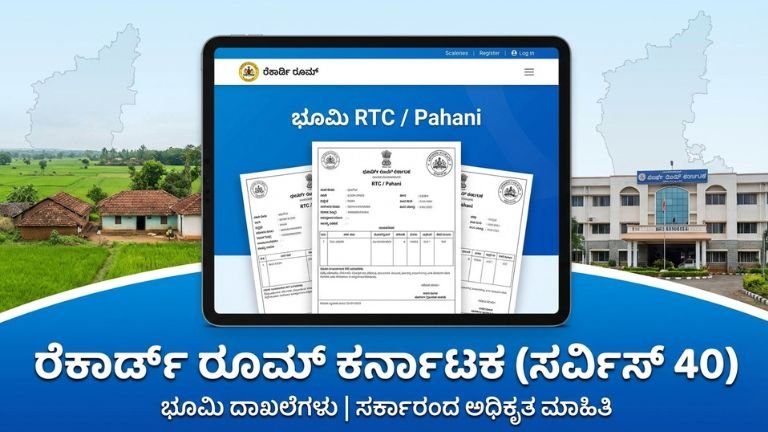
Record Room Karnataka (Service40) – Complete Guide 2025-26 | How to Use, Benefits & Step-by-Step Tutorial land
In a major push toward digital governance and transparency in land administration, the Government of Karnataka has launched the Record Room portal — a digital platform designed to make old land records and revenue documents easily searchable, viewable, and downloadable online. This portal is part of the broader Bhu Suraksha initiative, aiming to protect historical records and provide citizens with efficient access to validated land-related documents from 1977 onward.
A key access point of this system is the URL:
This service transforms the way farmers, landowners, lawyers, property buyers, and researchers access official revenue records without visiting government offices or dealing with middlemen.
In this comprehensive, SEO-ready guide, we explain:
✅ What the Record Room portal is
✅ Service40 and how it works
✅ Step-by-step usage instructions
✅ What types of records you can access
✅ Benefits of using this portal
✅ Differences between Record Room and Bhoomi
✅ How this promotes transparency
✅ Practical examples
✅ Common mistakes & solutions
Let’s begin!
What Is the Record Room Portal? – Service40 Explained
The Record Room portal (recordroom.karnataka.gov.in) is a digital repository created by the Revenue Department of Karnataka to host scanned revenue documents, old RTCs (Pahani), mutation copies, survey sketches, and other land-related records dating back several decades
The specific service page /service40 is a part of this platform. It is typically used for searching and accessing archived revenue records — especially those that are not available on other platforms like Bhoomi or Bhulekh. The exact label “Service40” may appear as one of several internal service modules, with functionality to search old digitized documents.
These records formerly existed only in manual paper formats stuck in government archives, requiring citizens to physically visit the Taluk Revenue Office (TRO) and file manual applications — a time-consuming and often corrupt practice.
Now, thanks to digital scanning and cataloguing, these historic records are accessible from your smartphone or computer.
Why Karnataka Record Room Matters (Core Benefits)
The Record Room portal solves several long-standing problems in land administration:
Instant Online Access to Old Records
Old Pahani (RTC) documents, mutation copies, survey sketches and related historical files — which were previously only in physical archives — are now digitized and searchable online.
Declare Historical Ownership
Old RTCs issued in years like 1977, 1980, 1990, 2000 can now be downloaded without spending weeks waiting in queues.
Reduce Bribery and Interference
By eliminating the need to stand in front of officials or middlemen, the system minimizes opportunities for corruption and fraud.
Court-Recognised Documents
Documents downloaded with digital copies and verification receipts can often be used in legal cases, banks, or title verification — especially when the document is older and not available elsewhere.
Time & Money Saving for Citizens
A process that once took days or weeks can now be completed in minutes, from anywhere in Karnataka.
Types of Documents You Can Access via Record Room
The Record Room portal provides access to:
Old RTC Documents (Record of Rights, Tenancy & Crops)
These are the foundational land records detailing ownership, tenancy status, land type, crops grown, and family succession.
Mutation Records
These show how land ownership changed over time — for example, after a sale or inheritance.
Survey Sketches (Tippan / Pakka Sketch)
Historical survey documents that illustrate land boundaries and subdivisions.
Old Revenue Files & Case Documents
Documents that may not be listed on standard portals.
Digitized Government Orders or Filed Reports
All of these are scanned and categorized with indexing to allow easy search.
Who Should Use Record Room Service40?
This service is especially useful for:
✔ Farmers who need old ownership docs
✔ Property buyers doing due diligence
✔ Lawyers needing historical verification
✔ Landowners applying for loans
✔ Researchers studying land history
✔ People involved in land dispute cases
✔ Government officials and planners
How to Use the Record Room Portal — Step-by-Step Guide
Here’s a simple instruction guide to start using the portal.
Step 1: Visit the Portal
Open your browser and enter:
If the direct link doesn’t load due to timeouts, access the main Record Room homepage:
👉 https://recordroom.karnataka.gov.in/
You may be redirected to a login page or a list of services.
👉 If you are prompted to log in, use your mobile number and OTP — no separate account is usually required.
Step 2: Choose Record Search or Appropriate Module
On arrival at the portal:
✔ Look for “Search Record” (or similar)
✔ Select the document type (Old RTC / Mutation / Sketch)
✔ Select your District, Taluk, Hobli, and Village
✔ Provide your Survey Number or Khata Number
This filters the database to your specific plot or record.
Step 3: Select Year / Record Period
Once you find the land or record group:
✔ Choose the year range (often from 1977 onward)
✔ Click Preview or Search
The system fetches scanned pages from the archives.
Step 4: View the Preview Online
A preview image of a scanned document will appear.
✔ Inspect if this is the correct record
✔ Zoom in if needed
This lets you verify before downloading.
Step 5: Pay Nominal Fee & Download
Once confirmed:
✔ Click Download
✔ Pay the minimal government fee (very low — often ₹10–₹50)
✔ Download the document as a PDF file
Now you have a digitally stored copy of a record that once required government office visits!
Example Use Case: Old Pahani Retrieval
Let’s say you want the Pahani record from 1985.
Step-by-step:
- Go to Record Room service40
- Enter region details: District, Taluk, Hobli, Village
- Enter Survey Number
- Select year range (e.g., 1980–1990)
- Preview the scanned pages
- Click Download after payment
That’s it — no need to visit TRO offices.
Record Room vs Bhoomi: Key Differences
The Karnataka revenue ecosystem already has an established portal called Bhoomi for land records.
Here’s how they differ:
| Feature | Record Room (Recordroom.karnataka.gov.in) | Bhoomi (landrecords Karnataka) |
|---|---|---|
| Document Age | Historical records (1977 onwards) | Primarily current RTC / Land records |
| Accessibility | Archives & old scanned files | Current land details & services |
| Purpose | Historical retrieval | Daily land records & services |
| Search by Year Range | Yes | No |
| Mutation Search | Historic as well | Current mutation details |
Record Room fills gaps where Bhoomi does not provide old archived files.
Major Benefits Explained
Saves Time and Money
Before this system, retrieving historical land documents required long waits at government offices and often bribery — now it’s transparent and fast.
Helps Verify Property Title
Verification of historical chain of ownership is critical for legal cases, loans, or property sales.
Strengthens Transparency
By removing intermediaries, it ensures records are delivered directly to citizens.
Legal Validity
Digitally downloaded and certified copies can be presented in courts or banks — giving them strong official validity.
Protects Against Records Damage
Archived paper records often degrade over time. By digitizing and storing them, the government protects them for future citizens.
Common Mistakes and How to Avoid Them
❌ Wrong Survey Number
Never guess — get the correct survey number from your original land deed.
❌ Wrong Village Selection
Always double-check the district, taluk, village fields.
❌ Incorrect Year Range
Pick a broad year range if you’re unsure (e.g., 1977-2000).
❌ Not Logging in Correctly
Sometimes you must log in with OTP — ensure your mobile number is correct.
Future Potential & Government Vision
The Record Room portal is part of the Bhu Suraksha initiative, which aims to bring all old paper records into the digital domain and make them accessible, searchable, and protected.
As digitization continues, additional features may include:
✅ Digital signatures for full legal use
✅ Integrated search via Khata or owner name
✅ Long-term archival preservation
✅ Bulk download for legal firms
✅ API access for government agencies
This sets a model for other Indian states as well.
FAQs – Common Questions
Q1. Can I access any land record from 1977 onwards?
Yes. Records digitized from 1977 to present can be searched on the Record Room portal.
Q2. Is this portal free?
Viewing is free. Download requires a nominal fee.
Q3. Are these downloads legally recognized?
Yes. Government-issued PDFs with payment receipts have legal recognition.
Q4. Do I need to register?
You’ll need to log in using your mobile number and OTP.
Q5. Can I use this for property disputes?
Yes. You can present historical records as supporting evidence.
Click Hear check
Why Every Karnataka Citizen Should Use Record Room
The Record Room portal (recordroom.karnataka.gov.in/service40) is a game-changer for digital land records in Karnataka. Whether you’re a farmer seeking old Pahani, someone buying land, or a legal professional verifying historical transactions, this platform brings decades of archived documents directly to your device in a few simple steps.
Because it reduces bureaucratic hassles, fights corruption, and helps protect citizens’ rights over their land, Record Room is not just a system — it’s a practical tool for social justice and digital access to government records.
Start using it today — and take control of your land information rights!