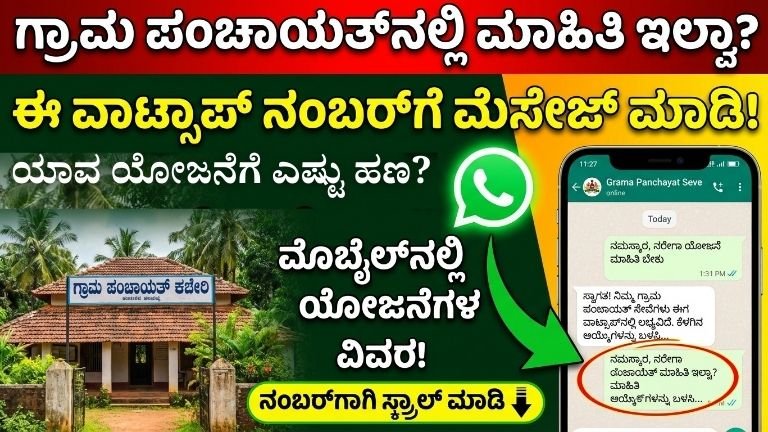
How to Use Grama Panchayat WhatsApp Number to Get Government Scheme Details (Complete 2026 Guide) watsapp
In today’s digital time, even rural areas are becoming smart. Many Grama Panchayats are now using WhatsApp to share updates about government schemes, certificates, tax payments, and village development works.
If you are living in Karnataka (especially rural areas like Tarikere side), this WhatsApp facility can save your time, travel cost, and middlemen trouble.
This complete guide explains:
- What is Grama Panchayat WhatsApp service
- How to find the official number
- Step-by-step method to send message
- What services you can get
- How to avoid fake numbers
- Tips to get faster reply
Let’s understand everything clearly.
What is Grama Panchayat Digital Service?
Ministry of Panchayati Raj
Under Digital India initiative, rural local bodies are encouraged to provide online and mobile-based services. Many Panchayats in Karnataka operate through:
- WhatsApp communication
- Official mobile helpline
- Village-level digital service centers
- Panchayat Development Officer (PDO) contact
WhatsApp is used mainly for:
- Sharing scheme updates
- Providing certificate information
- Tax payment reminders
- Grievance registration
- Meeting announcements
STEP 1: How to Find Your Grama Panchayat WhatsApp Number?
There are 5 simple ways:
Visit Panchayat Office Directly
Go to your local Panchayat office and check notice board. Most Panchayats display:
- Official mobile number
- PDO number
- WhatsApp helpline
Ask Village Secretary or PDO
Every Panchayat has:
- Panchayat Development Officer (PDO)
- Secretary
- Village Accountant
They usually share the official number.
Check District Official Website
Rural Development and Panchayat Raj Department Karnataka
On district portals, sometimes contact numbers are listed.
Ask SHG / Anganwadi / ASHA Workers
Women Self Help Groups often know the official Panchayat contact number.
Check Village WhatsApp Groups
Most villages have:
- Gram Sabha group
- SHG group
- Youth group
Official Panchayat number is often shared there.
STEP 2: Save Number Properly
Once you get number:
- Save in your phone
- Name it clearly: “XYZ Grama Panchayat Official”
- Confirm with office staff that it is correct number
⚠️ Always confirm authenticity. Don’t trust random forwarded numbers.
STEP 3: How to Send WhatsApp Message Correctly?
When messaging government offices:
❌ Don’t send only “Hi”
❌ Don’t send voice messages unnecessarily
❌ Don’t send spam
✅ Send clear structured message like this:
Example Format:
Namaskara Sir/Madam,

My Name: Lakshmi
Village: Tarikere
Ward Number: 3
Mobile Number: XXXXXXXX

I want information about Udyogini Loan Scheme application process.
Please guide me.
Clear message = Faster reply
What Information Can You Get Through WhatsApp?Below are common services:
1. House & Site Scheme Details
- Housing scheme status
- Beneficiary list
- Application last date
2. Agriculture Schemes
- Borewell subsidy
- Crop insurance
- Seed distribution
3. Women Schemes
- Self Help Group loans
- Udyogini scheme
- Free tailoring machine schemes
4. Certificate Information
- Income certificate status
- Caste certificate inquiry
- Residence certificate process
5. Water & Road Complaints
You can send:
- Photo of damaged road
- Water supply problem
- Drainage issue
STEP 4: How to Send Complaint with Photo?
- Click clear photo
- Mention location properly
- Send description
Example:
“Street light not working near Hanuman Temple, Ward 2.”
Always mention landmark.
How Long Will It Take to Get Reply?
- Usually 1–2 working days
- During holidays may delay
- Some Panchayats reply only during office hours
Be patient and avoid repeated messages.
How to Identify Fake WhatsApp Numbers?
Many fraudsters misuse government scheme names.
Check:
✔️ Number confirmed by office
✔️ Display picture shows Panchayat logo
✔️ No demand for money via UPI personally
✔️ No asking OTP
Government will never ask OTP.
Can You Apply for Loans Through WhatsApp?
Usually:
- You can get details
- Download forms
- Know required documents
Final application mostly done through:
- Bank
- Seva Sindhu portal
- Panchayat office
How to Ask for Beneficiary List?
You can message:
“Please share latest beneficiary list of housing scheme Ward 4.”
They may send:
- Photo copy
- Website link
Gram Sabha Announcements
Panchayat WhatsApp often sends:
- Meeting dates
- Vaccination camp
- Pension verification
- Tax payment last date
It keeps villagers informed.
Benefits of Using Panchayat WhatsApp
✅ Saves travel time
✅ No middlemen
✅ Written record proof
✅ Faster communication
✅ Direct contact
Especially useful for women and elderly people.
Common Mistakes People Make
- Sending abusive messages
- Sending unnecessary forwards
- Calling repeatedly
- Sending incomplete information
Always maintain respectful tone.
Tips to Get Faster Response
✔️ Send message during office hours (10 AM – 5 PM)
✔️ Mention ward number
✔️ Mention Aadhaar last 4 digits (if required)
✔️ Attach relevant document photo
Who Handles Panchayat WhatsApp?
Usually handled by:
- PDO
- Data Entry Operator
- Panchayat Assistant
They manage multiple tasks, so give time.
Role of Panchayati Raj System
Ministry of Panchayati Raj
The Panchayati Raj system is the backbone of rural governance. Through digital communication like WhatsApp, transparency and accountability increase.
Is There Any Official App?
Some districts also use:
- Panchatantra portal
- State rural development portals
- Seva Sindhu (for Karnataka state services)
But WhatsApp is easier for rural citizens.
Example Use Case (Realistic Scenario)
Lakshmi from Tarikere wants Udyogini loan details.
She:
- Gets Panchayat WhatsApp number
- Sends structured message
- Receives list of required documents
- Visits bank confidently
- Applies without broker
This saves her:
- Travel trips
- Agent commission
- Confusion
Grama Panchayat WhatsApp service is a powerful digital tool for rural citizens in 2026. Instead of depending on rumors or middlemen, use official communication channels.
Always:
- Verify number
- Keep message clear
- Maintain respect
- Follow up politely
Digital awareness is empowerment.
How to Use Grama Panchayat WhatsApp Number to Get Government Details – Advanced & Practical 2026 Guide (More Info)
This section gives you deeper, ground-level information that most people don’t explain. After reading this, you will know exactly how to use Grama Panchayat WhatsApp like an insider, even if you are from a rural village.
What Exactly Is a Grama Panchayat WhatsApp Service?
Panchayati Raj Institutions
A Grama Panchayat WhatsApp number is not a call center. It is an official communication tool used by the Panchayat office staff to:
- Reply to citizen queries
- Share scheme circulars
- Forward PDF forms
- Send beneficiary lists
- Take basic complaints
It works like a digital notice board + help desk.
👉 Important: Not all Panchayats work the same way. Some are very active, some respond slowly.
Who Operates the Panchayat WhatsApp Number?
Usually handled by:
- Panchayat Development Officer (PDO)
- Data Entry Operator (DEO)
- Panchayat Secretary
They use the same number for:
- Normal calls
- Office coordination
So don’t expect instant replies like private companies.
How to Confirm That the WhatsApp Number Is OFFICIAL?
This is very important to avoid fraud.
5 Ways to Verify Official Number
- Notice Board Verification
Go to Panchayat office → check notice board → number printed. - PDO Confirmation
Ask PDO or Secretary directly. - Village-Level Worker Confirmation
ASHA / Anganwadi / Village Accountant usually know. - Gram Sabha Announcement
Often announced during meetings. - Cross-Check with Taluk Office
Taluk Panchayat office can confirm.
❌ Never trust numbers shared only on Facebook or random WhatsApp forwards.
Best Way to SAVE & LABEL the Number
Save like this 👇
“Grama Panchayat – [Village Name] – Official”
This helps you avoid confusion later.
HOW to Write a PERFECT WhatsApp Message (Very Important)
Government staff deal with hundreds of messages.
Your message must be short, clear, respectful.
Best Message Structure (Copy-Paste Ready)
Namaskara Sir/Madam,

Name: __________
Village: __________
Ward No: __________
Mobile No: __________

I want information about __________ scheme / service.
Please guide me.

Thank you.
Messages That Get Ignored
- “Hi”
- “Reply fast”
- Long voice notes
- Angry messages
BEST TIME to Message Panchayat WhatsApp
| Time | Response Chance |
|---|---|
| 10 AM – 1 PM | ⭐⭐⭐⭐ |
| 2 PM – 5 PM | ⭐⭐⭐ |
| After 6 PM | ❌ |
| Sunday / Holiday | ❌ |
📌 Tip: Tuesday–Friday gives best response.
WHAT SERVICES You Can REALLY Get via WhatsApp (Detailed)
Certificate-Related Information
You can ask:
- Where to apply
- Required documents
- Application status
❌ You usually cannot get certificates fully via WhatsApp
✔️ You get guidance
2. Housing & Site Schemes
Basava Vasati Yojana
You can get:
- Application last date
- Beneficiary list (PDF/photo)
- Missing document info
3. Agriculture & Rural Schemes
Department of Agriculture Karnataka
- Borewell subsidy info
- Seed distribution dates
- Crop insurance camps
Farmers save many trips using WhatsApp.
4. Women & SHG Schemes
Udyogini Scheme
- Required documents
- Bank contact
- Eligibility confirmation
Women benefit the most from WhatsApp info.
5. Complaints & Civic Issues
You can complain about:
- Drinking water problem
- Street light not working
- Road damage
- Garbage issue
How to Send a STRONG Complaint (That Gets Action)
Send 3 things together:
- Photo / video
- Exact location (landmark)
- Short description
Example:
“Street light not working near Government School, Ward 5, since 3 days.”
📌 Complaints with photos get faster action.
Can You Get Beneficiary Lists?
Yes, often you can get:
- Housing list
- Pension list
- Scheme-approved list
Usually shared as:
- Photo of notice
- Link
Will Panchayat Ask Money on WhatsApp?
❌ NEVER.
Red flags 🚩:
- Asking UPI payment
- Asking OTP
- Asking Aadhaar full number
If this happens → report to Taluk Panchayat office immediately.
Privacy & Safety Tips
- Share only required details
- Avoid sending full Aadhaar photo unless asked officially
- Mask Aadhaar (show only last 4 digits)
What If Panchayat Does NOT Reply?
Do this step by step:
- Wait 2 working days
- Send polite follow-up
- Visit Panchayat office
- Contact Taluk Panchayat office
WhatsApp is support tool, not replacement for office.
Is There Any Official Portal Along with WhatsApp?
Yes, WhatsApp works along with:
Seva Sindhu
Panchatantra
WhatsApp gives info → portal completes service.
Rural vs Urban Panchayat WhatsApp Usage
| Area | Usage |
|---|---|
| Rural GP | Scheme info, complaints |
| Semi-urban | Certificates + tax |
| Urban wards | Mostly apps & portals |
Insider Tips (Very Useful)
✔️ Mention ward number always
✔️ Use Kannada/English simple language
✔️ Be respectful
✔️ Save replies for record
✔️ Don’t argue on WhatsApp
Advantages Over Middlemen
| Panchayat WhatsApp | Agent |
|---|---|
| Free | Charges money |
| Official info | Often misleading |
| Written proof | No proof |
| Transparent | Risky |
Real Example (Practical)
A woman from Tarikere wants Udyogini loan info.
She:
- Gets GP WhatsApp number
- Sends proper message
- Receives document list
- Goes to bank prepared
- Applies without broker
Result: Time saved + zero commission.
watsapp no
Grama Panchayat WhatsApp number is a powerful digital weapon for rural citizens in 2026.
Use it:
- Smartly
- Politely
- Safely
Do not depend on rumors or agents.