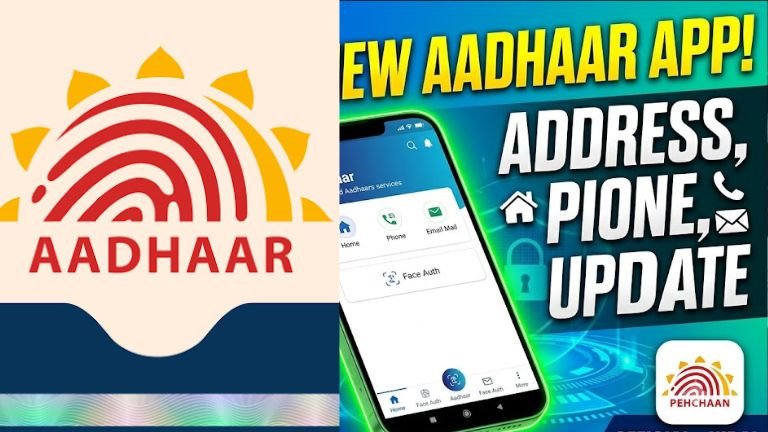
Yes, the Google Play Store link you provided is absolutely correct! It links directly to the official, newly updated Aadhaar app developed by the Unique Identification Authority of India (UIDAI).
📌 Important App Update: UIDAI has officially retired the older mAadhaar app. All residents are now required to switch to this new, upgraded Aadhaar app (
in.gov.uidai.pehchaan) for a smoother and more secure experience.
Here is exactly how you can manage your mobile number, email, and address updates using this official app:
1. Updating Your Address (Can be done entirely online)
You can seamlessly change or update your residential address directly from your smartphone using the app:
-
Step 1: Download and open the Aadhaar app from your provided link.
-
Step 2: Complete the registration using Face Authentication and set up your secure 6-digit login PIN.
-
Step 3: Go to the Services section and select Address Update.
-
Step 4: Enter your new address details carefully.
-
Step 5: Upload a clear scanned copy or photo of your valid Address Proof document (such as a Voter ID, Electricity Bill, Bank Statement, or Passport) in JPG, PNG, or PDF format.
-
Step 6: Preview your details, complete a quick Face Authentication check, and pay the official online processing fee of ₹75.
2. Updating Your Mobile Number & Email Address
While demographic details like your address can be modified by uploading documents from home, updating your primary contact information works slightly differently due to strict security protocols.
Changing an Existing Mobile Number
If you still have access to your old registered mobile number and want to switch to a new one, you can initiate this process inside the app:
-
Navigate to Mobile Number Update under Services.
-
You will be prompted to verify the change using an OTP sent to your old number, complete Face Authentication, and submit the request.
If you have completely lost access to your old number or are linking it for the first time:
-
You must visit an official center: For security reasons, if your previous phone number is inactive or completely lost, an app or website cannot perform an unverified balance override.
-
What to do: Open the app and use the “Locate Enrolment Center” tool to book a priority appointment at your nearest permanent Aadhaar Seva Kendra (ASK). A quick biometric fingerprint or iris scan at the center will link your new phone number instantly for a minimal fee of ₹50. No structural documents are required just to update a phone number or email at the desk.
Using the new official Aadhaar app (developed by UIDAI) is designed to be a streamlined, secure experience that replaces the retired mAadhaar app.
Here is a simple guide to getting started and using its key features.
1. Getting Started (Setup)
-
Download: Ensure you download the official app from the Google Play Store or Apple App Store. Always verify that the developer is “Unique Identification Authority of India” (UIDAI) to avoid fake apps.
-
Registration:
-
Open the app and select your preferred language.
-
Enter your Aadhaar number.
-
Agree to the Terms and Conditions.
-
Select the SIM card associated with your registered mobile number.
-
Complete the Face Authentication step as prompted.
-
Set a secure 6-digit PIN to access your account.
-
2. Key Services Available
Once you are logged in, you can access various services via the “Services” or “Dashboard” tab:
-
Update Details: You can update your registered mobile number or residential address directly through the app.
-
Note: Updating address usually requires supporting documents, while mobile number updates may involve an OTP and biometric verification.
-
-
Biometric Lock/Unlock: You can lock or unlock your biometrics with a single tap to add a layer of security against unauthorized authentication.
-
Offline Verification (QR Sharing): You can generate a secure, encrypted QR code to share your identity for services like hotel check-ins or hospital admissions without revealing your full document. This is “selective sharing,” meaning you only disclose the information necessary for that specific purpose.
-
e-Aadhaar Download: You can download your e-Aadhaar card directly to your phone.
-
Authentication History: You can view your past Aadhaar authentication records to see when and where your Aadhaar was used.
-
Family Profiles: You can manage up to five different Aadhaar profiles on a single device, making it easier to manage identity for your family members.
Email Address Update:
The latest update to the official app allows residents to manage linked emails directly. If your current mobile number is active and authenticated in the app, look under the Profile Tab to manage your communication preferences safely.
Important Tips
-
mAadhaar Migration: If you previously used the mAadhaar app, please note that it has been retired. All users are encouraged to switch to this new app to access current services and enhanced privacy features.
-
Security: Never share your 6-digit PIN with anyone. If you lose access to your registered mobile number, you cannot perform app-based updates; you must visit your nearest Aadhaar Seva Kendra in that case.
-
Privacy: The app is built on data minimization principles, meaning it is designed to share only the data you consent to, protecting your privacy during daily transactions.