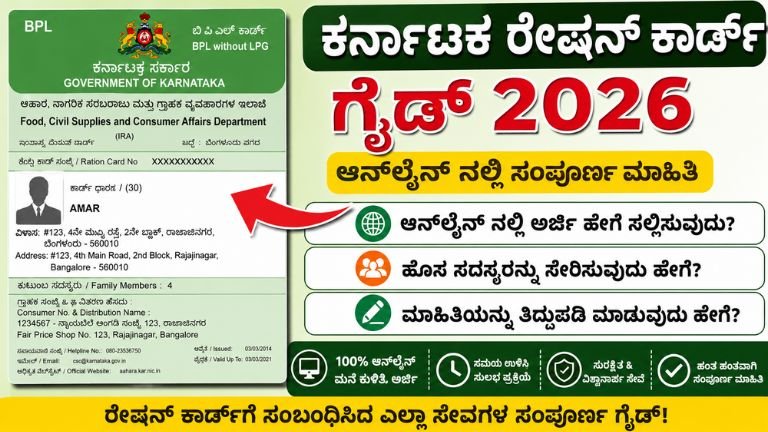
Karnataka Ration Card Guide 2026: Apply Online, Add New Members, & Edit Information
Are you looking to update your Karnataka ration card, modify family information, or apply for a completely new card? Navigating government portals can feel overwhelming, but the Department of Food, Civil Supplies, and Consumer Affairs in Karnataka has digitized these processes to make them highly accessible.
Having accurate information on your ration card is vital—not just for food grains, but because it serves as an official identity and income document for state welfare schemes like the Anna Bhagya and Gruha Lakshmi programs.
This comprehensive, SEO-optimized guide walks you through applying for a new card, adding new family members, and making online corrections on the official Ahara Karnataka portal.
1. Understanding the Types of Ration Cards in Karnataka
Before initiating any application or edit request, you must know your card category. The Karnataka government issues cards based on the household’s socioeconomic status:
-
Antyodaya Anna Yojana (AAY) Cards: Issued to the poorest segments of society (often labeled with green or unique color coding). These households receive maximum food grain subsidies.
-
Priority Household (PHH) Cards: Commonly referred to as Below Poverty Line (BPL) cards. These are meant for families meeting specific low-income criteria defined by the state.
-
Non-Priority Household (NPHH) Cards: Commonly known as Above Poverty Line (APL) cards. These families do not qualify for subsidized food grains but use the card as a valid state identity and address proof.
2. Prerequisites & Essential Documents
Whether you are applying fresh or amending an existing card, having your documents synchronized is crucial.
Important Notice: Karnataka strictly enforces Aadhaar Seeding and e-KYC. The names, dates of birth, and genders on your ration card must match your Aadhaar card details exactly. Ensure your active mobile number is linked to your Aadhaar card to receive the mandatory One-Time Passwords (OTPs).
Documents Required Based on Your Request:
| Action | Required Documents |
| New Ration Card Application | Aadhaar Cards of all members, Proof of Residence (Electricity bill, House tax receipt), Income Certificate (for BPL/PHH), Passport-size photographs of the Head of the Family. |
| Adding a New Member (Child) | Birth Certificate of the child, Aadhaar Card of the child (mandatory), Existing Ration Card. |
| Adding a New Member (Spouse/Marriage) | Marriage Certificate, Deletion Certificate from the spouse’s previous household ration card, Aadhaar Card. |
| Correcting/Editing Information | Aadhaar Card showing the corrected details, Official Gazetted Notification (for major name changes). |
3. How to Apply for a New Ration Card in Karnataka
Applying for a new ration card is done online via the Ahara website or physically through authorized state citizen centers like Karnataka One, Gram One, or Bangalore One.
Here is the step-by-step procedural breakdown for an online application:
4. Adding New Members to an Existing Ration Card
Modifying family composition by adding newborns or a newly wedded spouse is a frequent requirement. Known locally as Ration Card Amendment (Tiddupade), this process can be conducted smoothly online.
Process Flow for Member Addition:
-
Go to
ahara.kar.nic.inand access E-Services -> Amendment Request. -
Select your district to be redirected to the regional server link.
-
Authenticate ownership of the card by inputting your existing Ration Card Number and performing OTP verification via the family head’s mobile number.
-
Select the option “Add New Member”.
-
Fill in the member’s details exactly as they appear on their Aadhaar card.
-
Select the relationship to the head of the family and upload the mandatory supporting certificate (Birth Certificate for infants; Deletion Certificate from the old card for a spouse).
-
Submit the request and record the acknowledgment number. An inspector from the Food Department will review the application and perform a local verification if necessary before approving the addition.
5. Editing and Correcting Existing Information
Errors in spelling, incorrect addresses, or inaccurate age data can cause your monthly ration distribution or direct benefit transfers (DBT) to fail. Follow these steps to rectify any mistakes:
Step 1: Access the Amendment Feature
Log in to the regional portal via the Amendment Request section under E-Services using your standard credentials (Ration Card number + Aadhaar OTP).
Step 2: Choose the Fields to Modify
The dashboard displays your active card structure. Click on “Edit Member Details” or “Change Address” depending on your requirement.
Step 3: Align with Aadhaar
If you are correcting a name spelling or date of birth, the system will check the details directly against the member’s Aadhaar profile. Ensure you have corrected the information on your Aadhaar card before attempting to modify your ration card.
Step 4: Finalize and Upload Proofs
For address changes, upload your matching electricity bill or water bill. Once reviewed, click on the final submission button. The changes usually reflect in the system within 15 to 30 working days following verification by the Food Inspector.
6. How to Track Your Amendment Status Online
You can track the progress of your application or modification request without stepping foot into a government office.
-
Go to the Ahara Karnataka portal.
-
Click on E-Services and find the “Status of Ration Card” or “Ration Card Amendment Request Status” tab.
-
Select your appropriate district cluster.
-
Choose the option to track via “Application Number” or “Ration Card Number”.
-
Enter your specific reference number. The interface will display whether your request is “Pending Verification”, “Approved”, or “Rejected”. If rejected, the portal provides a reason (such as document mismatch), allowing you to re-apply correctly.
new ration card
Can I add my wife’s name to my ration card immediately after marriage?
Yes. However, you must first remove her name from her parental ration card. Obtain a Deletion Certificate from that portal, then upload it along with your marriage certificate when submitting the addition request on your card.
Why is my online ration card edit request getting rejected?
The most common cause of rejection is data mismatch. If the name spelling or date of birth you input on the Ahara portal does not align exactly with the database of the linked Aadhaar card, the verification system automatically declines the request.
How long does it take for a new card or an edit to process?
Typically, name modifications and member additions take between 2 to 4 weeks. Processing a completely new BPL or APL ration card application can span 30 to 45 days, as it involves physical field verification of your household income status by local authorities.