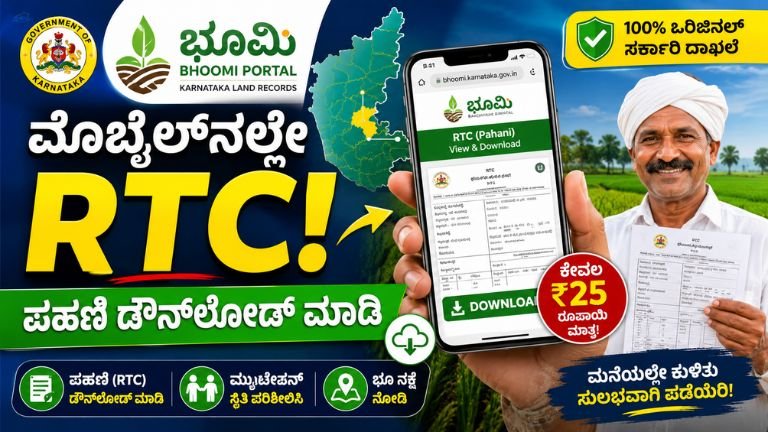
A Complete Guide to Karnataka Land Records: Navigating the Bhoomi Portal
In the past, accessing land records in India was a cumbersome process involving manual registers, local village accountants (Shanbhogs/Patwaris), and often, unnecessary bureaucratic delays. For landowners and farmers in Karnataka, this changed significantly with the launch of the Bhoomi Portal (landrecords.karnataka.gov.in).
Whether you are a farmer applying for a crop loan, a property buyer performing due diligence, or a legal heir managing family property, the Bhoomi portal is your most essential tool. This comprehensive guide explains what the portal is, why it matters, and how you can leverage its services effectively.
What is the Bhoomi Portal?
Bhoomi is a flagship project of the Government of Karnataka, initiated in 2000 to digitize the state’s land record management system. It replaced the error-prone, manual paper-based system with a centralized digital database. Today, it manages over 20 million RTC (Record of Rights, Tenancy, and Crops) documents, serving millions of citizens across the state’s 177 talukas.
Why is it Important?
Before Bhoomi, updating a land record or obtaining a copy of your Pahani (RTC) could take months and often involved middlemen. With this digital transformation, you can now access, verify, and track your land documents from the comfort of your home. It provides:
-
Transparency: Real-time visibility into land ownership.
-
Accessibility: 24/7 access to records.
-
Security: Prevention of illegal manipulation of land documents.
Understanding the “RTC” (Pahani)
The most frequently accessed document on the portal is the RTC (Record of Rights, Tenancy, and Crops), locally known as Pahani. Think of the RTC as the “identity card” for your agricultural land.
What does the RTC contain?
-
Ownership Details: Names of current and past owners.
-
Land Extent: Total area in acres and guntas.
-
Survey Details: Unique survey number and sub-division (Hissa) number.
-
Crop Details: What crops are grown in which season (Kharif/Rabi/Zaid).
-
Tenancy/Mutation History: Any changes in ownership or ongoing disputes.
-
Irrigation Source: Details on water usage (wells, canals, etc.).
Key Services Offered on the Bhoomi Portal
The portal has evolved into a one-stop-shop for all land-related administrative services in Karnataka:
1. View RTC and MR (Mutation Records)
You can view your land details by selecting your district, taluk, hobli, and village, followed by the survey number. This is the “free view” option useful for quick verification.
2. i-RTC (Digitally Signed RTC)
For legal purposes—like bank loans, crop insurance, or court submissions—a simple screenshot isn’t enough. You can download an i-RTC, which is a government-certified, digitally signed copy, for a nominal fee of ₹25. This document holds the same legal validity as one issued from a physical office.
3. Mutation Status Check
A “Mutation” occurs when land ownership changes (e.g., due to sale, gift, or inheritance). The portal allows you to track the progress of your mutation request, ensuring you know exactly which stage of the process your application is in.
4. Revenue Maps & Survey Documents
You can download revenue maps to see the spatial boundaries of your land parcel, which is crucial for identifying plot dimensions and neighbors.
5. Land Conversion Services
If you intend to use agricultural land for non-agricultural (residential or commercial) purposes, you can apply for “Land Conversion” directly through the portal, track the status, and download the final conversion order.
How to Access Your Land Records (Step-by-Step)
Follow these simple steps to retrieve your records:
-
Visit the Official Portal: Go to landrecords.karnataka.gov.in.
-
Select the Service: On the homepage, choose the relevant tab (e.g., “View RTC and MR”).
-
Enter Location Details: Select your District, Taluk, Hobli, and Village from the dropdown menus.
-
Enter Identification: Input your Survey Number and Surnoc/Hissa number.
-
Fetch Data: Click the “Fetch Details” or “Go” button. The system will display the land record summary.
-
Download/Print: If you need an official copy, opt for the “i-RTC” service, pay the fee via the secure payment gateway, and download your signed PDF.
Important Tips for Users
-
Avoid Middlemen: All services on the Bhoomi portal are direct-to-citizen. You do not need an agent to access these records.
-
Verify Credentials: Always ensure you are on the official government website (ending in
.gov.in). Avoid third-party websites that might charge extra fees for basic information. -
Keep Documents Ready: When applying for services like mutation or conversion, ensure you have your Aadhar card, Sale Deed, and previous RTC copies digitized and ready to upload.
-
Use the Mobile App: For on-the-go access, the Revenue Department of Karnataka has released an official Bhoomi mobile app, which is available on the Google Play Store.
Frequently Asked Questions (FAQs)
Q: Is the RTC available for non-agricultural land?
A: The Bhoomi portal primarily focuses on agricultural land. For non-agricultural properties (like plots in a city), you may need to check the “Khata” records via your local municipal corporation or the Kaveri portal.
Q: Can I change my name on the RTC online?
A: You cannot change the name directly through a simple edit. You must initiate a Mutation process by providing proof of ownership (like a registered sale deed or inheritance certificate). Once the revenue department approves the mutation, the RTC will reflect the new name automatically.
Q: What is the fee for an i-RTC?
A: The fee for a certified, digitally signed i-RTC is ₹25, payable online via net banking, debit cards, or credit cards.
Q: How often is the Bhoomi database updated?
A: The database is updated regularly whenever a mutation request is approved by the concerned Tahsildar or revenue official.
The Bhoomi portal is a shining example of how technology can empower the common citizen. By digitizing millions of land records, the Karnataka government has reduced corruption, improved transparency, and simplified property management. Whether you are a landowner or a prospective buyer, making the Bhoomi portal your first point of reference is the smartest way to ensure your property investments and agricultural records remain secure.
Disclaimer: This guide is for informational purposes only. Always refer to the official landrecords.karnataka.gov.in portal for the latest services, fee structures, and government notifications.