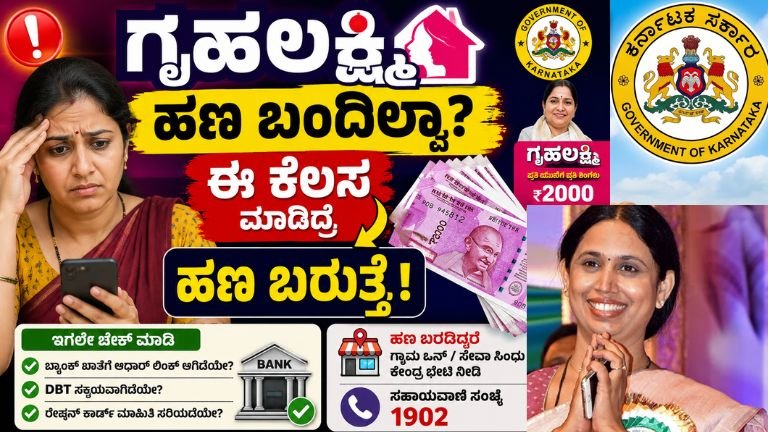
Gruha Lakshmi Status Check 2026: Why Your ₹2,000 Monthly DBT Is Delayed and How to Fix It Immediately
The Gruha Lakshmi Scheme, launched by the Government of Karnataka, stands as one of the most revolutionary direct benefit transfer (DBT) programs in India. Aimed at empowering the female heads of households (Yajamani) across the state, the scheme promises a monthly financial assistance of ₹2,000 directly credited to their bank accounts.
While millions of women successfully receive this amount every month, a significant number of eligible beneficiaries frequently face a frustrating issue: “Gruha Lakshmi money has not been credited yet.”
If your Gruha Lakshmi amount is pending, or if you received payments initially but they have suddenly stopped, there is no need to panic. In most cases, the money is held back due to minor technical glitches, pending e-KYC, or inactive Direct Benefit Transfer (DBT) statuses.
This ultimate guide will take you step-by-step through the process of checking your application status, verifying your Aadhaar-Bank link, troubleshooting DBT failures, and utilizing platforms like Grama One and Seva Sindhu to resolve your issues instantly.
Understanding the Gruha Lakshmi Scheme: Quick Overview
Before diving into the troubleshooting steps, let’s quickly recap the core structure of the scheme to ensure your profile matches all parameters.
| Parameter | Details |
| State | Karnataka |
| Department | Women and Child Development Department |
| Beneficiary | Female Head of the Family (Yajamani) as listed on Ration Card |
| Monthly Benefit | ₹2,000 |
| Mode of Payment | Aadhaar-enabled Direct Benefit Transfer (DBT) |
| Primary Portals | Seva Sindhu, Grama One, Karnataka One, Bangalore One |
1. Why is Your Gruha Lakshmi Money Delayed? (Common Reasons)
Government funding for the Gruha Lakshmi scheme is sanctioned systematically. If your neighbors have received their ₹2,000 but your account shows no balance update, it is rarely due to a lack of government funds. Instead, look out for these five common culprits:
A. NPCI Mapping & Aadhaar Seeding Failure
The government transfers money using the Aadhaar Payment Bridge System (APBS). Even if you have given your bank account number during registration, the money is sent to the bank account that is currently linked to your Aadhaar card via the National Payments Corporation of India (NPCI) mapper. If this link is broken, your payment will fail.
B. Inactive Direct Benefit Transfer (DBT) Status
Many beneficiaries assume that a standard active bank account is enough to receive government scheme funds. However, your account must explicitly have DBT enabled. If your account has been dormant or has transitioned into a basic savings account with restrictions, DBT transfers will be automatically rejected.
C. Discrepancies in the Ration Card (RC)
The foundational document for Gruha Lakshmi is the BPL, APL, or Antyodaya Ration Card. If there has been a recent change in your ration card data (e.g., changing the head of the family, adding/deleting members, or an un-updated digital smart card), the system might temporarily halt payments during the monthly data verification cycle.
D. Failed e-KYC or Name Mismatch
If your name is spelled as “Sumithra” on your Ration Card, “Sumitra” on your Aadhaar Card, and “Sumithra Devi” in your Bank Passbook, the automated verification algorithms flag the profile as a mismatch. This halts the transfer to prevent fraudulent transactions.
E. Account Minimum Balance and Dormancy Issues
If you have not operated your designated bank account for over six months, the bank may mark it as “Dormant” or “Inactive.” While regular deposits might occasionally go through, incoming automated government institutional transfers are blocked by banking safety protocols.
2. Step-by-Step Guide to Check Gruha Lakshmi Status Online via Mobile
You do not need to stand in long queues at government offices just to check if your money has been processed. You can easily track the payment pipeline using your smartphone.
Method A: Using the Karnataka DBT Mobile Application (Most Reliable)
The Government of Karnataka has designed a dedicated DBT Helper Application that provides transparent data regarding all state-sponsored schemes (Gruha Lakshmi, Anna Bhagya, Yuva Nidhi, etc.).
-
Download the App: Open the Google Play Store on your Android mobile device. Search for “DBT Karnataka” (ensure it is published by the DPAR, Government of Karnataka).
-
Install and Open: Launch the application and grant the necessary secure permissions.
-
Aadhaar Authentication: Enter the 12-digit Aadhaar Number of the female head of the family (Yajamani).
-
OTP Verification: You will receive a secure 6-digit One-Time Password (OTP) on your Aadhaar-registered mobile number. Enter the OTP to verify.
-
Create a Secure PIN: Set up a 4-digit security mPIN to easily log in to the app in the future without requesting an OTP every time.
-
Navigate to Payment Status: Once on the home dashboard, click on the “Payment Status” icon.
-
Select Gruha Lakshmi: A chronological list of your state benefits will appear. Select “Gruha Lakshmi” from the menu.
-
Analyze the Ledger: The app will display a month-wise breakdown showing:
-
Month and Year
-
Amount Sent (₹2,000)
-
Payment Status: (Success / Processed / Failed / Pending)
-
Bank Name & Account Last 4 Digits
-
UTR Number / Transaction ID
-
Method B: Tracking via the Official Seva Sindhu Portal
If you prefer using a web browser on a laptop or smartphone, follow these steps:
-
Go to the official Seva Sindhu web portal:
sevasindhu.karnataka.gov.in. -
Locate the dedicated “Gruha Lakshmi Scheme Application Status” tracking link highlighted on the homepage.
-
Enter your unique Gruha Lakshmi Application Number (provided on the acknowledgment slip during registration).
-
Alternatively, enter the Ration Card Number linked to the application.
-
Solve the visual Captcha security code and click “Submit.”
-
The system will generate a real-time status window showing whether your application is Approved, Scheduled for Payment, or Rejected due to technical criteria.
3. The Ultimate Fix: Resolving Aadhaar Linking and DBT Issues
If your mobile app status reads “Payment Failed due to NPCI mismatch” or “Account Not Seeded,” you must take actionable steps to fix your banking profile. Here is exactly how to resolve it.
[Aadhaar Card] ──(Seeding)──> [NPCI Mapper] ──(DBT Enable)──> [Your Bank Account]
                                                                     │
                                                       (₹2,000 Successfully Deposited!)
Step 1: Check Your NPCI Mapping Status Online
Before running to the bank, verify your current status through the official UIDAI website:
-
Visit the official Aadhaar resident portal (
myaadhaar.uidai.gov.in). -
Log in using your Aadhaar number and OTP.
-
Look for the “Bank Seeding Status” option.
-
Click it to see which bank account in India is currently actively mapped to your Aadhaar for receiving institutional money.
-
If it says “Inactive” or shows an old, unused bank account, you have found the root cause of your problem.
Step 2: Submit the DBT Mandate Form to Your Bank
To redirect Gruha Lakshmi payments to your preferred active bank account, follow this procedure:
-
Visit the physical branch of the bank where you hold an active savings account (e.g., State Bank of India, Canara Bank, Baroda Bank, Karnataka Bank).
-
Request the customer service representative for an “Aadhaar Seeding and NPCI / DBT Consent Form” (also known as Annexure-1).
-
Fill in your details carefully: Name, Account Number, Aadhaar Number.
-
Tick the checkbox that says: “I want to link my bank account to NPCI mapper to receive DBT benefits from government schemes.”
-
Submit a self-attested photocopy of both your Aadhaar Card and your Ration Card along with the form.
-
Ask the bank clerk to upload it onto the system immediately.
-
Crucial Tip: Request the banker to run a manual biometric test or update your e-KYC on the system to ensure no security flags remain on your profile.
Once processed by the bank, it takes approximately 4 to 7 working days for the status to refresh on the central Government of Karnataka database.
4. No Internet? Visit Grama One, Seva Sindhu, or Karnataka One Centers
If digital portals sound complicated, or if you encounter persistent errors online, Karnataka’s vast network of physical citizen service centers is equipped to handle your complaints directly.
       ┌────────────────────────────────────────────────────────┐
       │             CHOOSE YOUR NEAREST HELP DESK              │
       └───────────────────────────┬────────────────────────────┘
                                   │
         ┌─────────────────────────┼─────────────────────────┐
         ▼                         ▼                         ▼
   [ Grama One ]            [ Seva Sindhu ]          [ Karnataka One ]
(For Rural Areas/Villages) (For Taluk/Semi-Urban)    (For Urban Cities)
What Documents to Carry
When visiting any of these centers for a Gruha Lakshmi grievance redressal, ensure you carry the original copies and one set of photocopies of the following documents:
-
Ration Card (RC Number is mandatory)
-
Aadhaar Card of the Female Head (Yajamani)
-
Bank Passbook (Showing clearly legible IFSC code and Account Number)
-
Registered Mobile Number (The physical phone must be with you to share incoming OTPs)
What to Ask the Operator at the Center
When you reach the service counter, ask the operator to perform an “Application Correction and Status Check.”
The operator has access to the backend admin portal of the Women and Child Development Department. They can:
-
Verify if your registration data contains any typographical or structural data entry errors.
-
Re-upload scanned documents if any clarity issues caused the initial rejection.
-
Check the exact reason code provided by the treasury for payment failures.
-
Provide you with a fresh official printed acknowledgment receipt indicating that your grievance has been filed within the system.
5. Alternative Actionable Solutions to Try From Home
Check the Status via SMS and WhatsApp Portal
The Government of Karnataka occasionally rolls out dedicated automated WhatsApp chatbots and SMS numbers for ease of access.
-
Keep an eye out for official press releases from the Department of Women and Child Development detailing special helpline numbers where sending your Ration Card number via SMS returns your live application ledger text instantly.
Dial the Toll-Free Helpline (1902)
Karnataka has a centralized citizen helpdesk system.
-
Dial 1902 from your mobile phone.
-
Select your preferred language (Press 1 for Kannada, Press 2 for English).
-
Choose the option to speak directly with an executive regarding Chief Minister’s Guarantee Schemes.
-
Provide them with your Ration Card number. They will pull up your internal file and tell you whether your file is pending with the bank, stuck at the taluk officer level, or flagged for missing verification document uploads.
6. How the Government Process Backlog Payments (Will you get pending money?)
A common question among beneficiaries is: “If I resolve my bank account issue today, will I lose the previous months’ ₹2,000 amounts that were skipped?”
The answer is No, you will not lose your money.
The Gruha Lakshmi payment architecture includes an automated retry mechanism. When a transaction fails because of a technical issue like an inactive DBT setting, the system flags that specific transaction as “Failed/Returned to Treasury.”
Once you fix your NPCI mapping and the system updates your status to “Active,” the automated system attempts to clear the accumulated backlog during the subsequent month’s payment release cycle.
Example: If your payments failed for January, February, and March due to an inactive account, and you successfully rectify your bank details in April, you are highly likely to receive a consolidated multi-stage payout of ₹8,000 (representing all skipped periods plus the current month’s stipend) once the system re-runs your profile.
7. Crucial Safety and Security Warning for Beneficiaries
Given the immense popularity of the Gruha Lakshmi program, cybercriminals and fraudsters frequently target unsuspecting beneficiaries. Protect your funds and personal information by strictly abiding by the following protocols:
-
Beware of Fake Mobile Apps: Do not download random APK files or apps named “Gruha Lakshmi Status App” from third-party websites or unknown WhatsApp links. Only trust the official application explicitly approved by the Government of Karnataka on the secure Google Play Store.
-
Never Share Your Bank OTP: No government official, bank employee, or Grama One representative will ever call you over the phone asking for your secret Bank OTP or automated Aadhaar OTP to release your pending money. If anyone asks for it, hang up immediately.
-
Avoid Paying Agents: Application submission, checking statuses, and filing grievances via official channels have predefined nominal nominal fees or are completely free of charge. Do not pay thousands of rupees to unauthorized external agents or middle-men promising immediate money releases through illegal shortcuts.
Summary Checklist for Instant Action
To summarize your next steps in accordance with the ideal troubleshooting roadmap:
-
[ ] Verify Online: Use the DBT Karnataka Mobile App to find out your exact payment failure reason.
-
[ ] Cross-Check Aadhaar Seeding: Log into the myAadhaar portal to see if your bank is actively mapped to the central NPCI grid.
-
[ ] Visit Your Bank: Fill out the DBT Consent Mandate Form at your branch if a mapping error is identified.
-
[ ] Escalate Locally: Go to your nearest Grama One, Seva Sindhu, or Karnataka One center if you find any spelling errors or technical mismatches on your profile data sheets.
-
[ ] Call 1902: Use the official centralized state government helpdesk lines for clarifying complicated discrepancies.
By proactively completing these five easy operational tasks, you can eliminate structural blocks holding back your account payouts. Keep your documentation pristine, ensure your technical profiles line up across all core tracking platforms, and you will enjoy seamless monthly deposits of your ₹2,000 Gruha Lakshmi benefit directly into your wallet without any further operational friction!
1. How long does it take for money to arrive after updating DBT?
It typically takes around 7 to 10 working days for the updated banking data to seamlessly synchronize with the central department database. Your payment will be queued up for release in the immediate upcoming systemic payment cycle run by the state treasury.
2. Can I change the designated bank account for my Gruha Lakshmi scheme?
Yes. You can switch your primary account by simply visiting the new bank branch of your choice and submitting a fresh NPCI/DBT activation form. The central government network will automatically reroute all future payouts to this newly updated account profile.
3. My application status says “Suspended.” What does this mean?
This status generally implies that the verification team flagged a critical data error, such as a change in the primary residential status on your core family ration card, or an identifier mismatch during an audit. You must visit a local taluk level administration desk or a Seva Sindhu center to clear the discrepancy with valid physical proofs.
4. Is the Gruha Lakshmi scheme income tax linked?
Yes. If the female head of the household or her spouse turns out to be an active Income Tax payer or files regular GST returns, the household becomes automatically ineligible for receiving benefits under the strict baseline criteria rules of the scheme.
Disclaimer: This blog post is written for informational purposes based on the latest operating guidelines issued by the Government of Karnataka. Beneficiaries are advised to cross-verify all individual account issues with official state department portals or authorized local administrative centers.