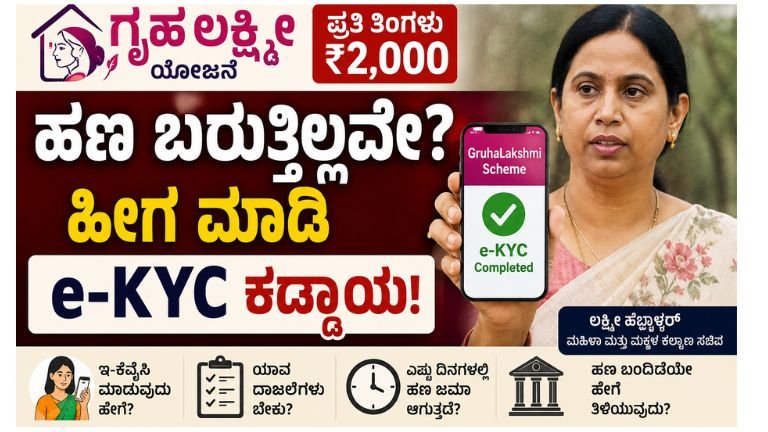
The Gruha Lakshmi Scheme, launched by the Government of Karnataka, has been a major pillar of support for over 1.15 crore women across the state, providing monthly financial assistance of ₹2,000 directly to the woman head of the family. G 8
However, many eligible beneficiaries frequently find themselves asking: “Why has my Gruha Lakshmi payment stopped?” or “What do I do if my ₹2,000 monthly amount has not been credited?”
If you or a family member are facing a delay or halt in your Gruha Lakshmi payments, you are not alone. In the vast majority of cases, the money has not been cancelled; rather, your transaction is stuck due to pending eKYC (electronic Know Your Customer) verification or Aadhaar-bank seeding issues.
This comprehensive, step-by-step guide walks you through exactly why your payments might be on hold, how to check your status instantly, and how to complete your eKYC the right way to resume receiving your monthly benefits.
1. Why Has Your Gruha Lakshmi Payment Stopped?
Before rushing to a service centre, it helps to understand exactly what is blocking your money. When the government issues a Direct Benefit Transfer (DBT), the transaction has to pass through several verification checkpoints.
If any of the following details mismatch or lapse, the payment automatically fails:
A. Aadhaar-Bank Seeding Lapsed or Missing (The #1 Cause)
Many people confuse “linking” an Aadhaar card with “seeding” it.
-
Linking simply means your bank has your Aadhaar number on file for identification.
-
Seeding (NPCI Mapping) means you have explicitly authorized the National Payments Corporation of India (NPCI) to route all active government DBT funds directly into that specific bank account.
If your Aadhaar is not actively seeded, or if the seeding has expired due to account inactivity, the system cannot find a path to deliver your ₹2,000.
B. Name and Demographic Mismatch
The government’s DBT portal continuously runs cross-checks between three key documents:
-
Your Aadhaar Card
-
Your Ration Card (Antyodaya, BPL, or APL)
-
Your Bank Account Passbook
If there is even a minor spelling difference (e.g., “Saraswathi” on your Aadhaar but “Saraswati” on your bank account), or if your husband’s name or initials are formatted differently, the automated system flags it as a discrepancy and holds the transfer.
C. Dormant or Inactive Bank Accounts
If you have not used your linked bank account for six months or longer, the bank may mark it as “dormant.” A dormant account cannot accept incoming DBT transfers, forcing the transaction to bounce back to the state treasury.
D. The Ongoing Government eKYC Clean-Up Drive
To weed out duplicate, inactive, or ineligible beneficiaries (such as income tax payers or government employees), the Karnataka government conducts routine eKYC updates. If you have missed a mandatory biometric verification call or eKYC notification, your scheme benefits are put on “temporary hold” until your identity is re-verified.
2. Step 1: How to Check Your Current Payment & eKYC Status
Never guess what the issue is. Use the official checking mechanisms provided by the Government of Karnataka to find out exactly where your money is stuck.
Method A: The Fast SMS Helpline
You do not need an internet connection or a smartphone to check your monthly status. You can do it via a simple SMS from any mobile phone.
-
Send your 12-digit Ration Card Number via SMS to either 8147500500 or 8277000555.
-
Within a few minutes, you will receive an automated reply showing the status of your latest installments and whether they have been credited or failed.
Method B: The Karnataka DBT Mobile App
The most reliable way to monitor your payment flow is through the official DBT Karnataka app, available on the Google Play Store.
-
Download the DBT Karnataka app.
-
Register using your Aadhaar Number.
-
Complete the OTP verification sent to your Aadhaar-linked mobile number.
-
Create a 4-digit secure mPIN.
-
Log in, tap on Payment Status, and select Gruha Lakshmi.
-
The app will list every single transaction attempt, displaying the date, amount, and—critically—the reason for failure if a payment bounced.
Method C: Seva Sindhu Guarantee Schemes Portal
-
Go to the official Seva Sindhu portal: sevasindhugs.karnataka.gov.in.
-
Click on the “Track Application Status” or “Know Your Status” option.
-
Select Gruha Lakshmi Scheme and input your Ration Card Number.
3. Step-by-Step: How to Complete Your Gruha Lakshmi eKYC Correctly
If your status check reveals that your eKYC is incomplete or your Aadhaar-bank seeding is inactive, follow this sequence to get the issue resolved cleanly.
EKYC LINK
Troubleshooting the “Gruha Lakshmi eKYC App” Issues
During intensive verification drives, the government sometimes deploys dedicated mobile applications to collect eKYC details. If you are trying to use an official verification app and it is failing, keep these troubleshooting steps in mind:
-
Check App Permissions: Ensure the app has access to your Camera (for taking live photos or scanning documents) and Location.
-
Network & Session Stability: If the app throws constant OTP errors or timed-out notifications, switch from unstable Wi-Fi to mobile data (or vice versa) and check that your phone’s date and time are set to “Automatic”.
-
Clear Cache & Update: Make sure your app is updated to the latest version via the official store. If it gets stuck on a loading screen, clear the app cache in your Android settings.
-
Do Not Rely on Fake Apps: Only download apps developed by the Director of e-Governance, Government of Karnataka. Avoid third-party utilities that promise to check your status but only harvest your personal data.
5. Summary Checklist for Beneficiaries
Use this quick checklist to ensure you have fulfilled every single requirement of the scheme:
| Requirement | What to Verify | Action to Take |
| Ration Card Role | You must be explicitly listed as the female head of family. | If your husband is listed as head, visit the Food Department to update the card. |
| Aadhaar Card Link | Ensure your mobile number is linked for secure OTPs. | Update details at an Aadhaar enrollment centre. |
| NPCI Seeding | Check if NPCI/DBT mapping is pointing to your active bank account. | Submit a consent form for Aadhaar seeding at your bank branch. |
| Tax Exemption | Confirm neither you nor your husband are paying Income Tax or GST. | Taxpayers are ineligible and will be automatically filtered out. |
What Happens to Missed Payments?
A common worry among women is: “If I missed 3 months of payments, will I get that money back once my eKYC is done?”
Yes. Once your eKYC is successfully processed and your Aadhaar-bank seeding is corrected, the Karnataka government typically releases your pending dues in a consolidated lump-sum transfer during the next payment cycle.
Ensure you follow the steps above, visit an authorized kiosk, and get your details aligned across all documents to restart your Gruha Lakshmi benefits as soon as possible.