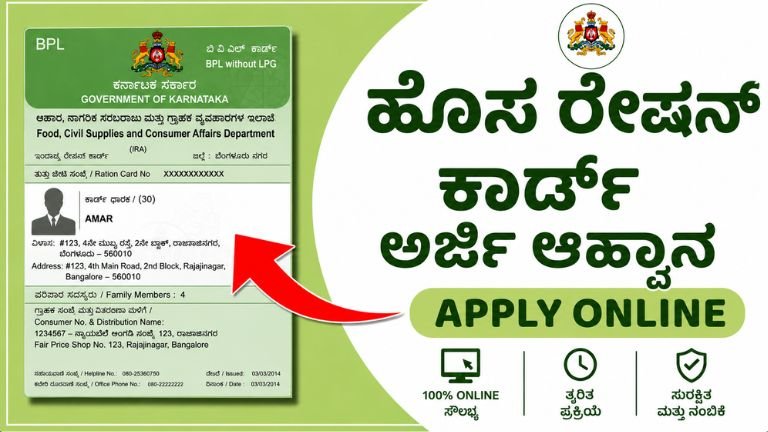
The Ultimate Guide to Applying for a New Ration Card in Karnataka (2026 Framework)
A ration card is one of the most critical documents a family can possess in Karnataka. Beyond granting access to essential, subsidized food grains under various state and central welfare schemes, it serves as a foundational proof of identity and continuous residence for local government services.
To improve administrative transparency and remove middleman exploitation, the Department of Food, Civil Supplies, and Consumer Affairs has streamlined the infrastructure. Citizens can now complete applications digitally via the integrated Ahara portal or through verified local service networks like Grama One and Bangalore One.
This comprehensive guide breaks down the eligibility guidelines, required documentation, explicit step-by-step application workflows, and verification structures needed to successfully acquire a new ration card in Karnataka.
Understanding the Classifications of Karnataka Ration Cards
The government classifies households into distinct categories based on economic indicators, demographic vulnerabilities, and annual income thresholds. Selecting the correct card type during the initial application determines your allocation of monthly commodities.
| Ration Card Type | Official Nomenclature | Target Demographic & Economic Eligibility Criteria |
| Antyodaya Anna Yojana | AAY | Reserved for the poorest of the poor households, marginalized communities, and families with an annual income below ₹15,000. |
| Priority Household | PHH | Issued to low-income families living in rural and urban sectors who fall under the Below Poverty Line (BPL) threshold metrics. |
| Annapurna Yojana | AY | Directed specifically at indigent senior citizens above the age of 65 who are not receiving any state or central pension benefits. |
| Non-Priority Household | NPHH | Allotted to stable-income families falling Above the Poverty Line (APL). These cards are primarily utilized as legal identity/residence proof. |
Core Eligibility Criteria
Before initiating either the digital or manual application stream, the primary applicant must verify that the household fulfills all statutory requirements established by the state framework:
-
Permanent Domicile Status: The primary applicant and every accompanying family member must be permanent residents of Karnataka.
-
Exclusivity Clause: Applicants cannot hold an active, valid ration card in any other Indian state or under a different household layout within Karnataka.
-
Separation or Transition Status: Eligible applicants must fall under recognized transition categories, which include newly married couples establishing a distinct household, families split from a joint unit via legal partition, or individuals possessing official cancellation certificates from their prior residence or state.
Mandatory Documentation Checklist
Missing or mismatched documentation is the primary reason the Food and Civil Supplies Department rejects applications. Ensure every document is updated and matches the applicant’s current legal name.
-
Identity Verification: Aadhaar Cards for every single family member to be registered on the card.
-
Active Mobile Association: The mobile phone number used for the application must be actively linked with the primary applicant’s Aadhaar card to handle automated One-Time Passwords (OTPs).
-
Residential Proof (Any One):
-
Recent Electricity Bill (highly preferred for matching local sub-division codes)
-
Registered Rental or Tenancy Agreement
-
Official Certificate from the local Ward Councillor (Urban) or Gram Panchayat Pradhan (Rural)
-
-
Income Verification: A valid Income Certificate issued by the Revenue Department (Tahsildar office) to justify AAY or PHH classifications.
-
Photographs: Recent passport-size photographs of all family members.
The Digital Online Application Workflow (Ahara Portal)
The fastest method to secure a ration card is through the state’s automated public distribution platform.
The Physical Offline Application Workflow
If you prefer to submit your application in person or lack a stable internet connection, you can complete the process manually through authorized state service centers.
[Gather Mandatory Documents]
        │
        ▼
[Visit Local Service Hub] ──► (Grama One / Bangalore One / Karnataka One / CSC)
        │
        ▼
[Obtain Form & Pay Fees]  ──► (Pay ₹50 Service Kiosk Processing Fee)
        │
        ▼
[Biometric Verification] ──► (Authenticate Family Members via POS Terminal)
        │
        ▼
[Receive Acknowledgement] ──► (Secure Physical Receipt with Trackable ID)
Approved Submission Hubs:
Do not utilize unauthorized private web internet centers. Only submit physical paperwork at these accredited locations:
-
Rural Regions: Grama One centers or the local Gram Panchayat Office.
-
Urban/Semi-Urban Regions: Bangalore One, Karnataka One, or Janasnehi Kendra counters.
-
Universal: Certified Common Service Centres (CSC) or local Fair Price Shops equipped with point-of-sale biometric terminals.
Administrative Cost Note: While accessing the digital platform directly is free, offline kiosk submissions carry a standard service fee of ₹50 per visit.
Official Verification, Approval, and Fee Structures
Once you submit your application through either channel, it enters the official verification workflow:
-
Field Inspections: Local Food Inspectors or designated village accountants review your application data. For PHH and AAY requests, an official may conduct an unannounced home inspection to verify your income status and living conditions.
-
Approval Timeline: Standard administrative processing, data cross-matching, and final approval take between 15 to 30 days.
-
Delivery & Collection Fees: The Food and Civil Supplies Department prints approved cards and distributes them via Speed Post. You must pay the delivery postman a set printing and logistics fee upon arrival:
-
Online Submissions: ₹100 per physical copy.
-
Offline Kiosk Submissions: ₹70 per physical copy.
-
Tracking Application Status and Downloading Digital Copies
You can track your application’s progress in real time without visiting a government office.
How to Check Status Online:
-
Visit ahara.karnataka.gov.in and click on e-Services followed by e-Status.
-
Select Status of New/Defending Ration Card.
-
Choose your specific administrative division (e.g., Bengaluru Division, Belagavi Division, Kalaburagi Division, or Mysuru Division).
-
Click on Application Status of new Ration Card applied, input your Acknowledgement Number, and click Go to view your current status.
Downloading an Electronic Ration Card:
Once your status displays as “Approved,” you can download an official digital copy. Go to e-Ration Card -> Print Ration Card. Authenticate using the primary member’s Aadhaar number and OTP to generate a secure PDF file. This digital document holds full legal validity across all departments.
Common Pitfalls to Avoid
-
Splitting Without Cancellation: If a newly married individual is still listed on their parents’ card, the system will flag the application for duplicate data. You must remove their name from the old card and get a cancellation or deletion receipt before applying for a new one.
-
Mismatched Aadhaar Data: Ensure the names and addresses on your Aadhaar cards match your supporting documents (like your electricity bill) before submitting. Mismatched details can lead to automated rejections.
-
Income Misrepresentation: Providing inaccurate income declarations to secure a priority card can result in automatic application rejection, suspension of benefits, and legal fines under public distribution guidelines.
State Support Infrastructure
For immediate issues with biometric validation errors, missing field verifications, or portal downtime, contact the state distribution helpdesk:
-
National Toll-Free Helpline: 1967
-
State-Specific Toll-Free Number: 1800-425-9339
-
Central Administrative Office: 080-22259024 / 080-22034652
-
Official Grievance Portal: espandana.karnataka.gov.in