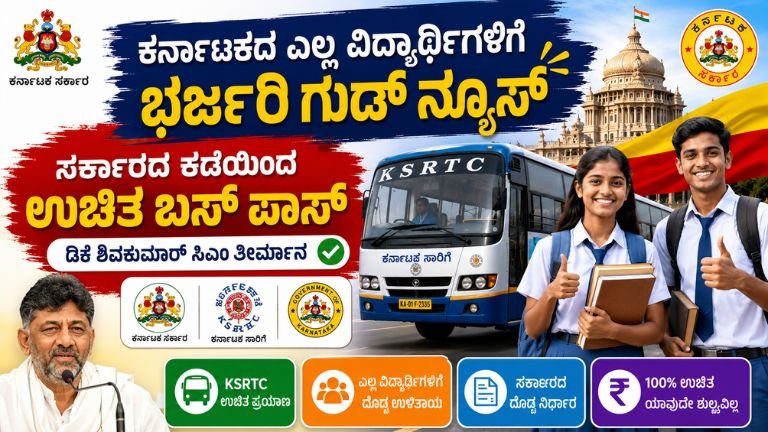
Applying for the Karnataka Students Free Bus Pass for the 2026-27 academic year directly from your mobile phone is simple and convenient.
Here is the complete step-by-step guide to doing it yourself on your mobile device.
Pre-Requisites Before You Apply
To make the mobile application smooth, ensure you have the following ready on your phone:
-
Documents saved as PDFs/Images: Your Student ID card, current academic year Fee Receipt, and a recent Passport Size Photo.
-
Mobile Number: Ensure your active mobile number is handy to receive OTPs for verification.
-
Your Details: Keep your school/college registration details and your regular travel route (boarding and destination stops) noted down.
Step-by-Step Mobile Application Process
Step 1: Visit the Official Portal
-
Open your mobile browser (like Google Chrome or Safari).
-
Go to the official Karnataka Seva Sindhu portal.
-
Log in using your registered account. If you don’t have an account, click on “New User? Register Here” and create one using your mobile number.
Step 2: Search for the Service
-
Once logged into the dashboard, tap on the menu and select “Apply for Services” -> “View all available services”.
-
In the search bar, type “Student Bus Pass 2026-27”.
-
Select the service that matches your transport corporation (e.g., BMTC for Bengaluru, KSRTC, NWKRTC, or KKRTC depending on your region).
Step 3: Complete Identity Verification
-
Follow the prompts for identity authentication.
-
Enter your details to verify your identity via an OTP sent to your registered mobile number.
Step 4: Fill in Personal & Institution Details
-
Enter the student’s name, address, and contact information.
-
Select your educational institution, course, and current academic year details.
Step 5: Define Your Travel Route
-
Select your regular Boarding Point (the stop closest to your home).
-
Select your Destination Point (the stop closest to your school/college).
Step 6: Upload Documents
-
Tap the upload buttons to select and upload your passport-size photo, current fee receipt, and student ID. (Tip: Ensure the file sizes are small enough to upload smoothly over a mobile network).
Step 7: Review and Submit
-
Double-check all the entered information and uploaded documents.
-
Tap on Submit.
-
Important: Download or take a screenshot of the Acknowledgment Number generated on your screen. You will need this to track your pass status.
Application Fees
-
Online (Self-Mobile): Completely Free.
-
Offline Assisted Centers: If you visit a Karnataka One, Grama One, or Bangalore One center to get it done, a nominal service charge of around ₹30 may apply.
How to Collect Your Pass
Once your application is verified and approved by your institution and the transport department, you will receive an SMS notification on your registered mobile number with instructions on when and where to collect your physical smart card pass.
Note for Girl Students: Eligible girl students studying in Karnataka can also utilize the Shakti Scheme for free travel on ordinary state government buses without needing a specific student pass, though carrying a valid institutional ID is highly recommended.